Home/Work/Take Therapy
UX Case Study

Take Therapy

Mobile app UX redesign, a therapy booking app rebuilt for clarity, trust, and fewer dropped bookings.
Role
UI/UX Designer
Platform
iOS / Android
Tool
Figma
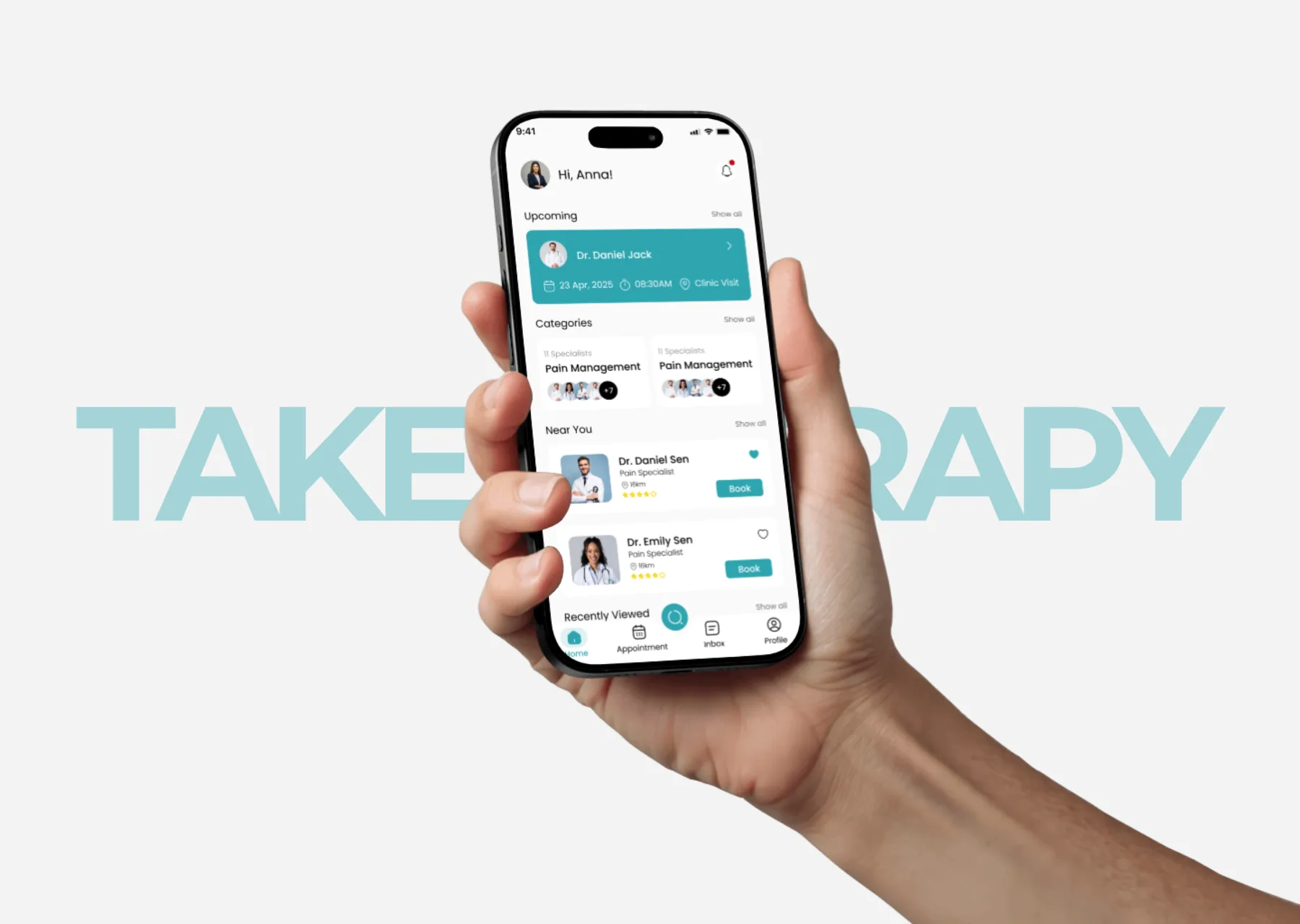
Take Therapy app on a phone held in hand, over the Take Therapy wordmark.

Redesigning a therapy booking app for clarity, trust, and fewer dropped bookings.

Overview

The app worked. The UX was in the way.

Take Therapy connects users with therapy and mental health specialists. Users browse doctors by category, view profiles, book appointments, and manage sessions, all in one place.

The core functionality was solid, but friction at key moments was costing users confidence and likely costing bookings.

The core issues

Problem statement & solution

Problem

  • Risky cancel actions and unclear buttons
  • Missing info for comparison
  • Overloaded booking flow

Solution

  • Safe cancel with confirmation
  • Added key info on cards
  • Simple 3-step booking flow
01

Home Screen

The most visited screen in the app. It was doing too much, and it had a dangerous button hiding in plain sight.
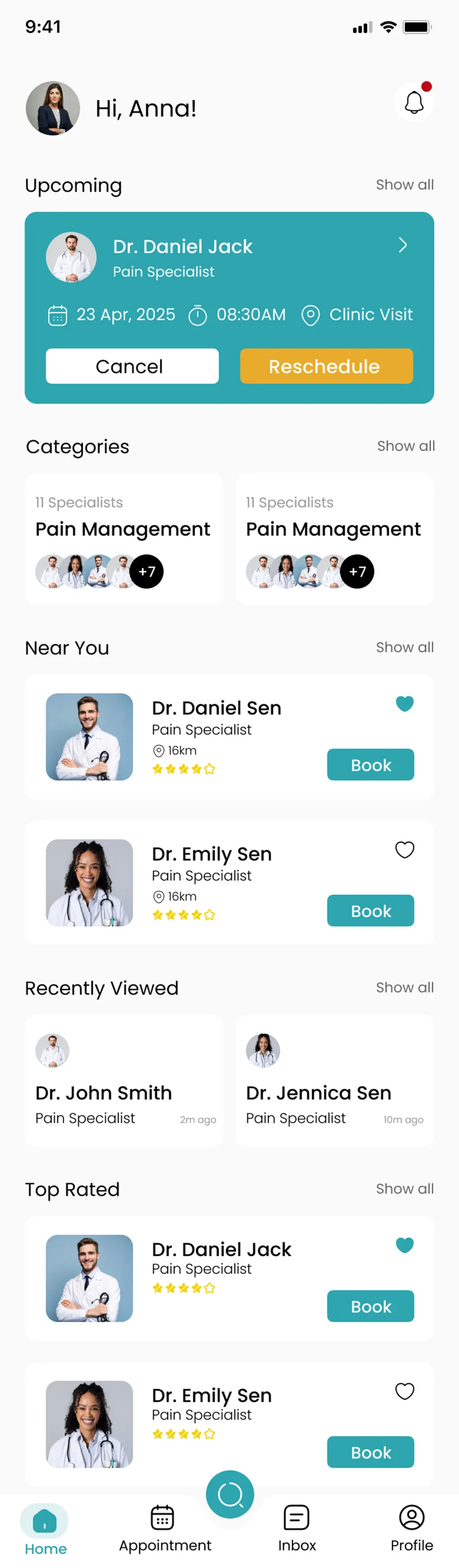
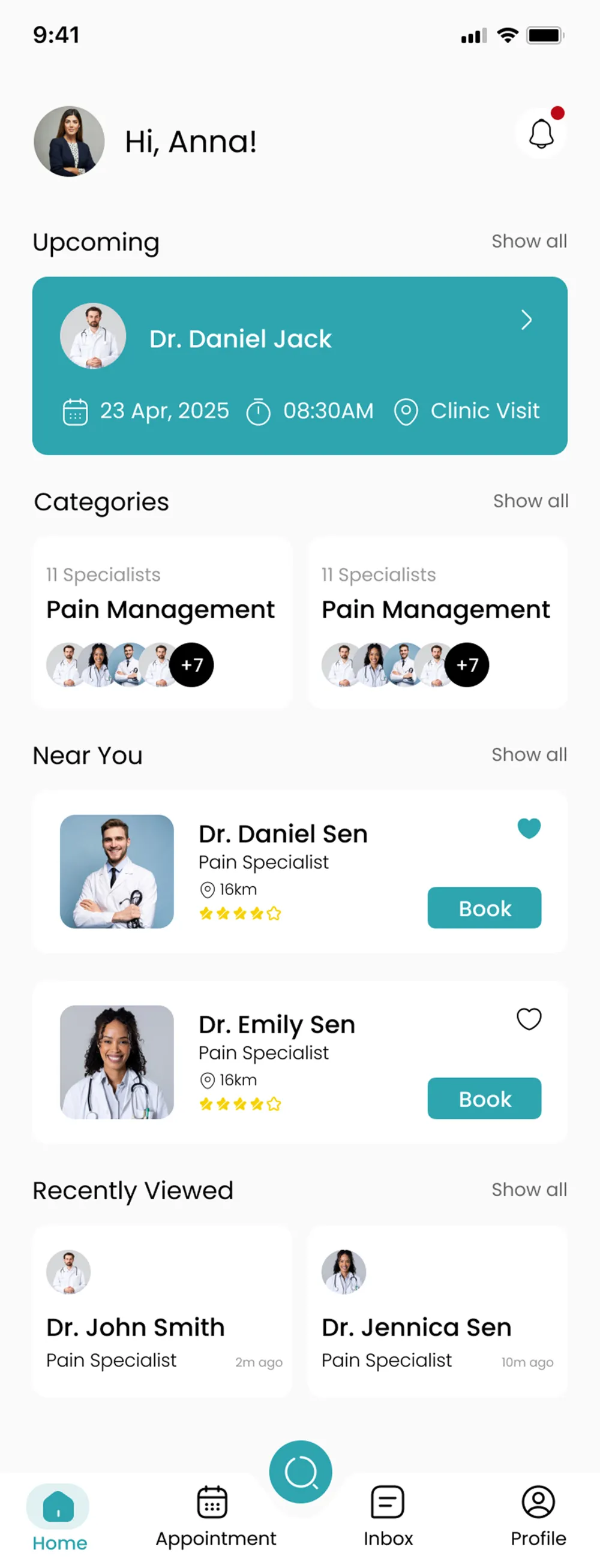
Before
home-before
Cancel button exposed on the appointment card. Small avatar, five crowded sections, poor visual hierarchy.
After
home-after
Cancel removed. Larger avatar. Cleaner section headings. Reduced visual noise. The homepage is now for awareness, not management.
UX Insight

Destructive actions should never live in passive, overview contexts. The home screen is for quick awareness, not appointment management.

02

Appointment List

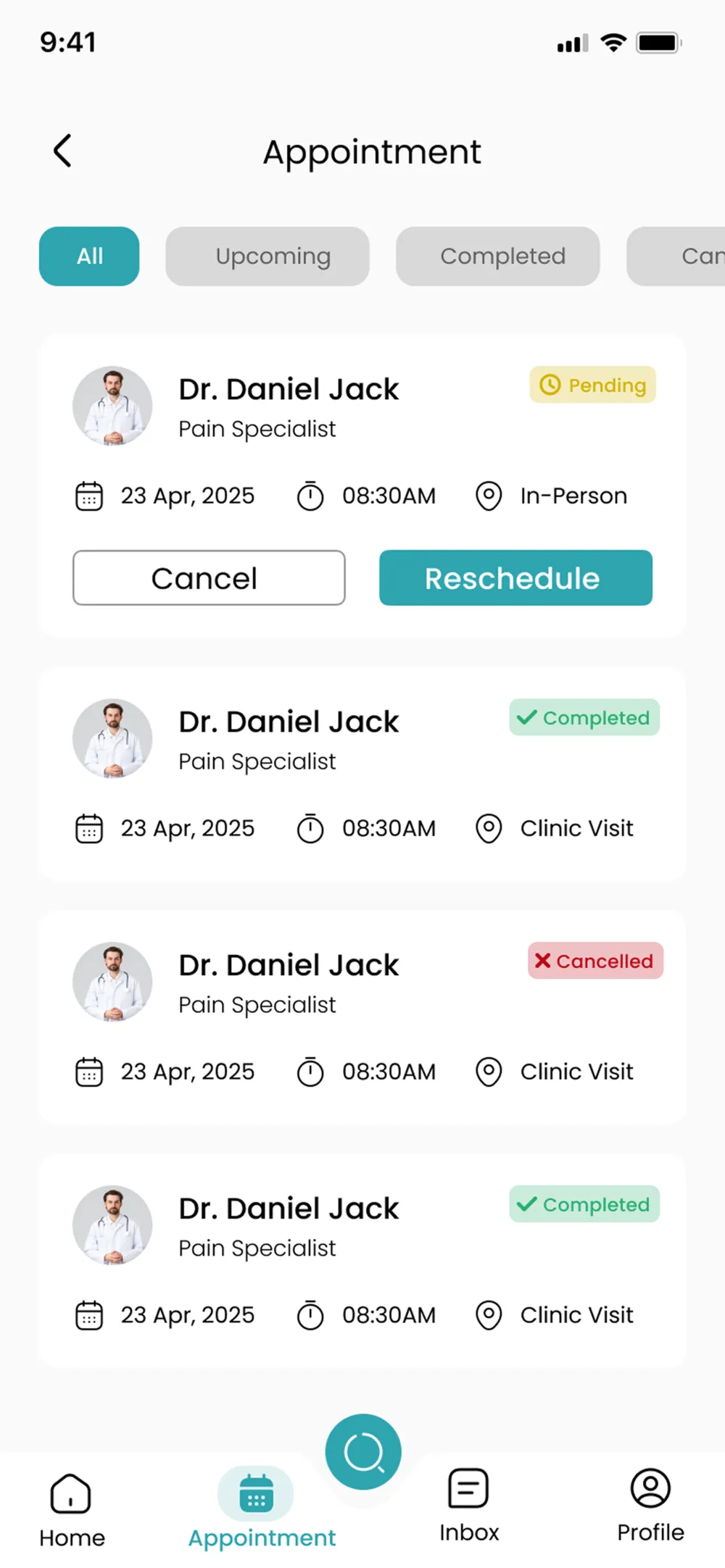
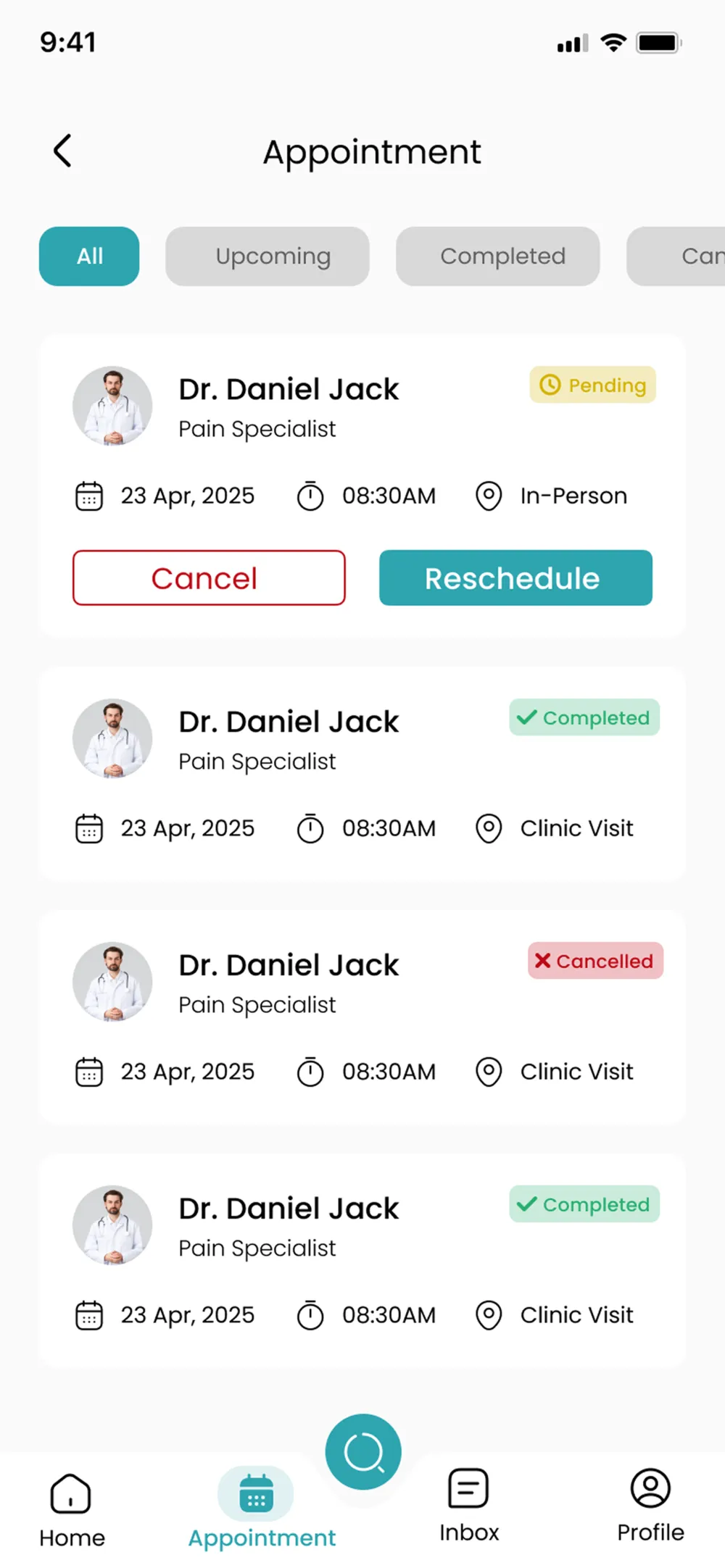
The Cancel and Reschedule buttons looked the same. Nothing told the user that one of them was permanent.
Before
appointment-before
Plain outline Cancel button, identical weight to Reschedule. No visual danger signal. No confirmation.
After
appointment-after
Cancel is now a red border and label, clearly communicating it's a destructive action.
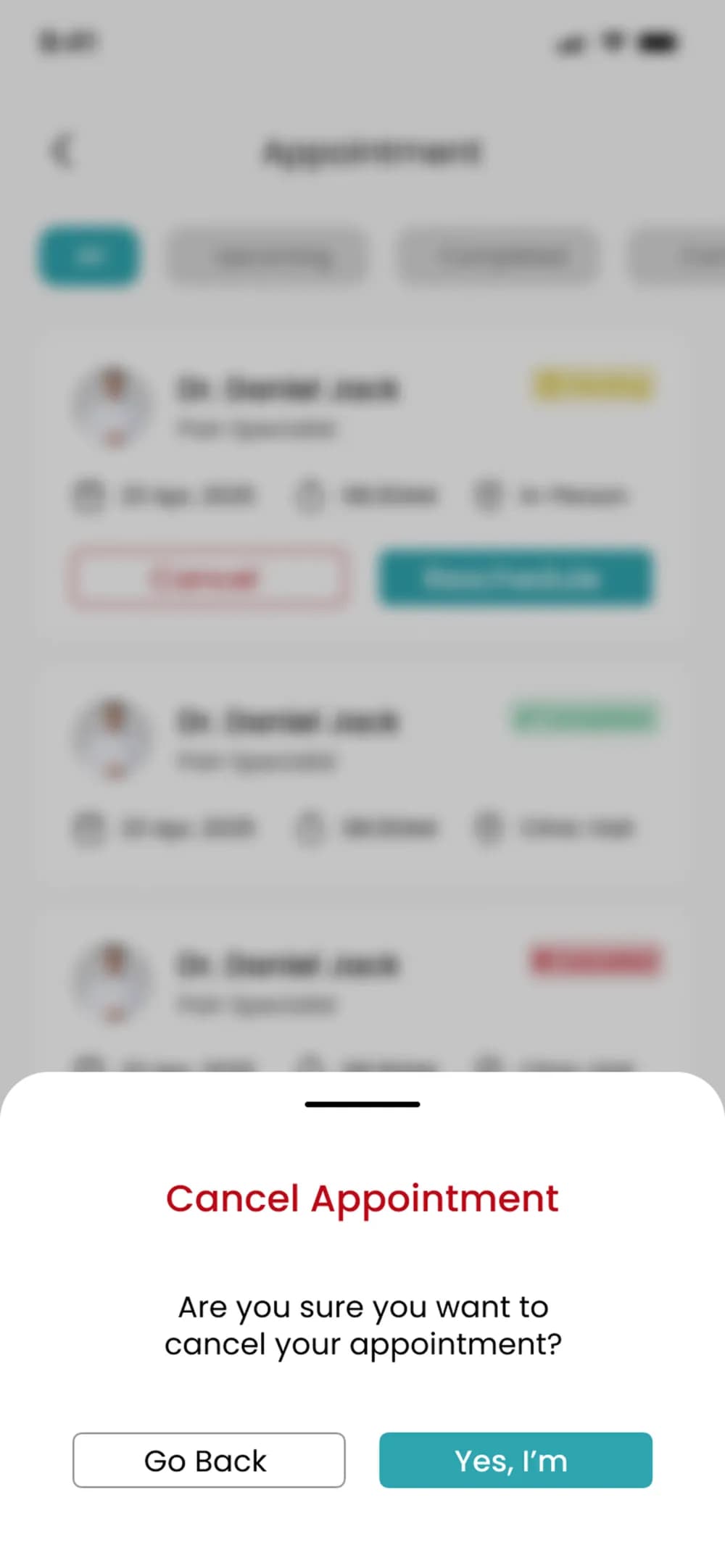
After — Confirmation
appointment-confirm
Confirmation bottom sheet added. 'Are you sure?' with a Go Back escape, so one accidental tap can no longer lose a booking.
UX Insight

Color carries meaning. Confirmation dialogs are not friction, they are protection. Destructive actions need to look dangerous.

03

Category / Specialist Listing

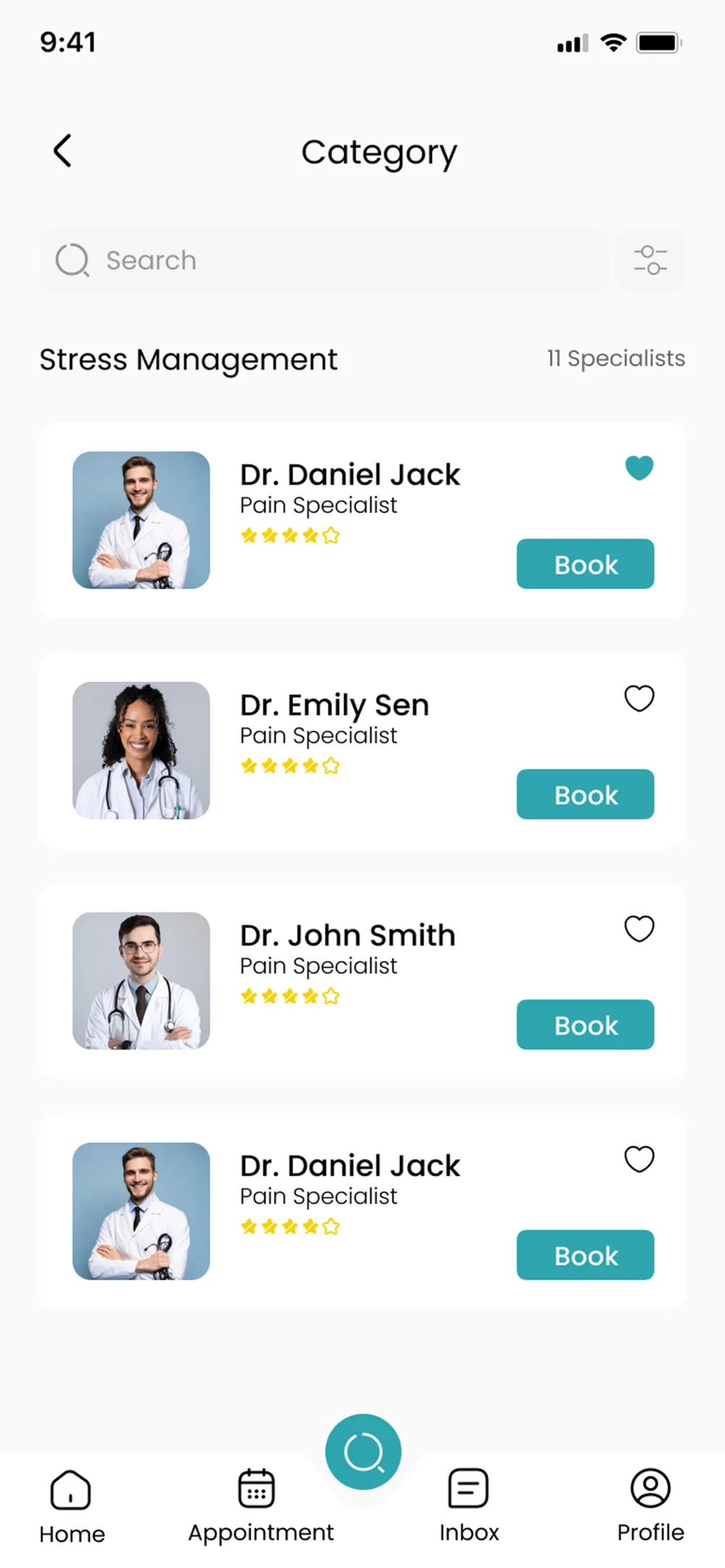
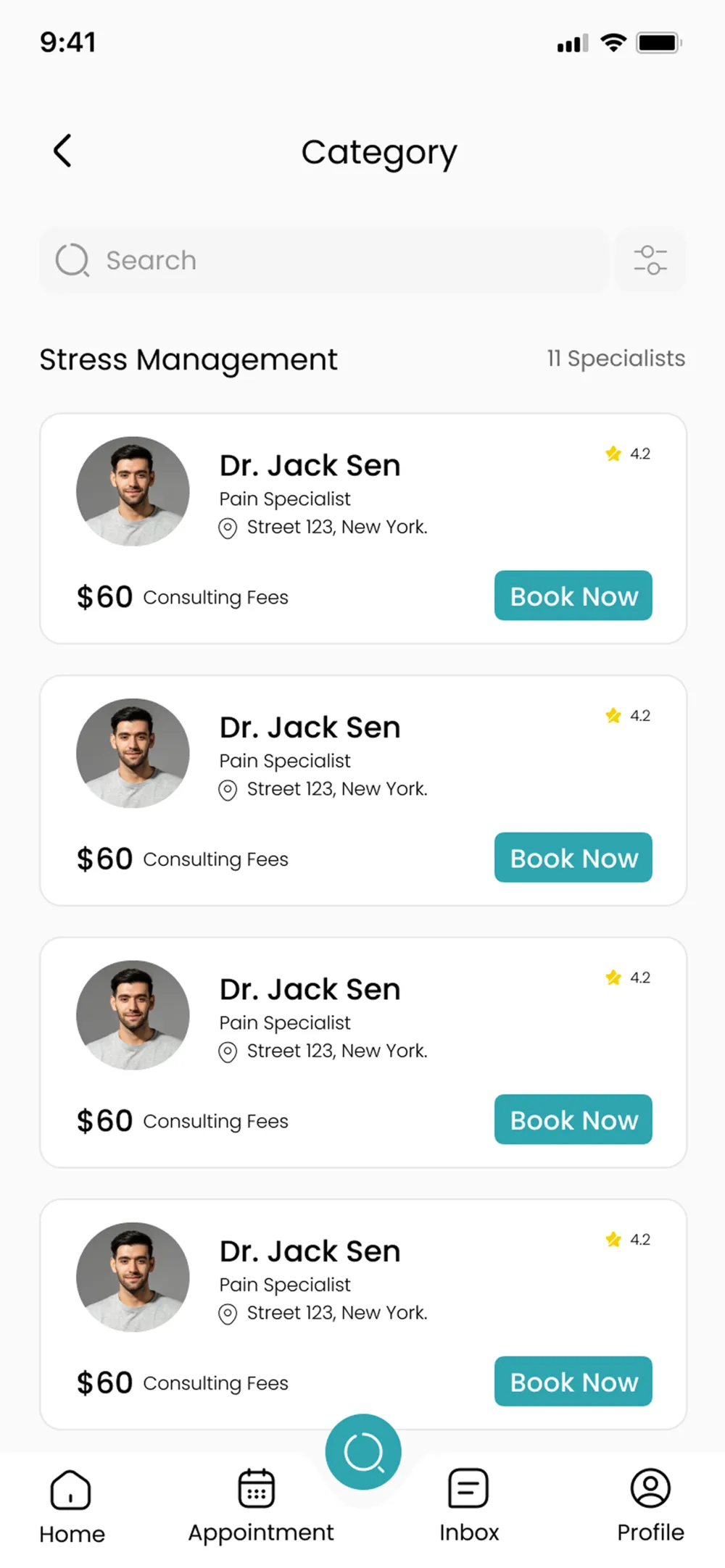
Users had to tap into every profile just to find the fee. Critical decision-making info was hidden one tap too deep.
Before
category-before
No pricing. Star icons only, no numeric rating. No location on the card. Users had to tap each doctor to compare.
After
category-after
Consulting fee, numeric rating, and location shown directly on the card. Compare at a glance, no extra taps needed.
UX Insight

Every extra tap to find decision-critical information is a potential drop-off. Surface what users need to compare options right in the list.

04

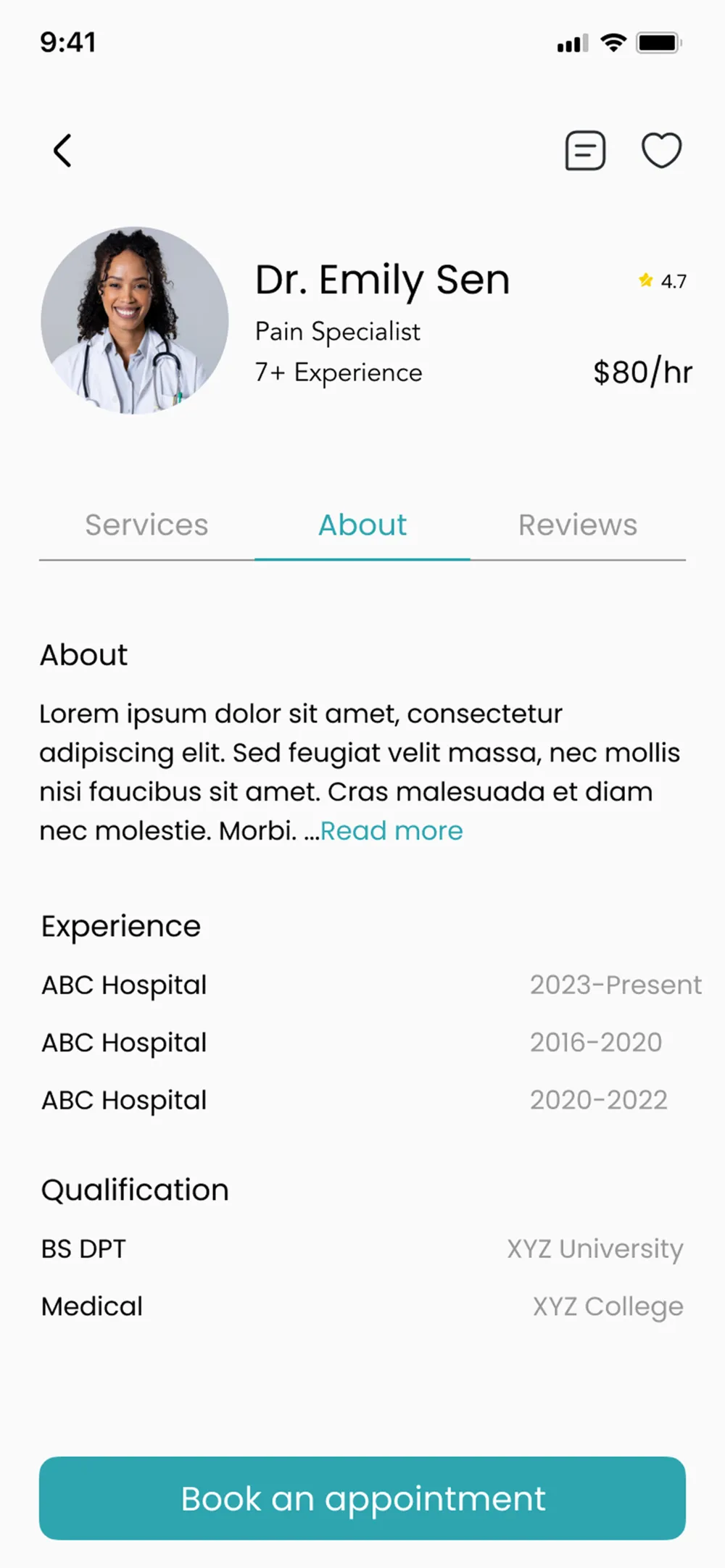
Doctor Profile

A well-structured profile that gives users everything they need to feel confident before booking.
doctor-profile
Name, rate, and experience at a glance. Tabbed Services / About / Reviews. A persistent 'Book an appointment' CTA fixed at the bottom, impossible to miss.
05

Booking Flow

The biggest redesign. A single overwhelming page became a clear, confident three-step journey.
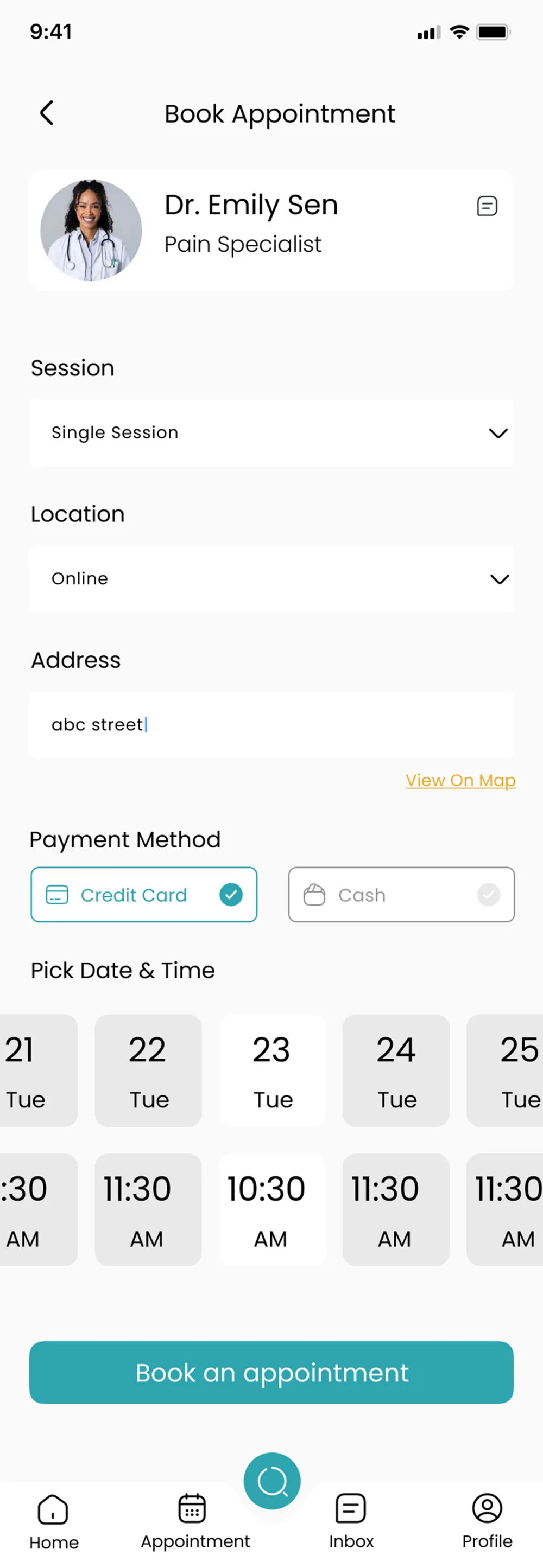
Before
booking-before
Everything on one page. Payment mixed with date picking. No progress indicator. High drop-off risk.
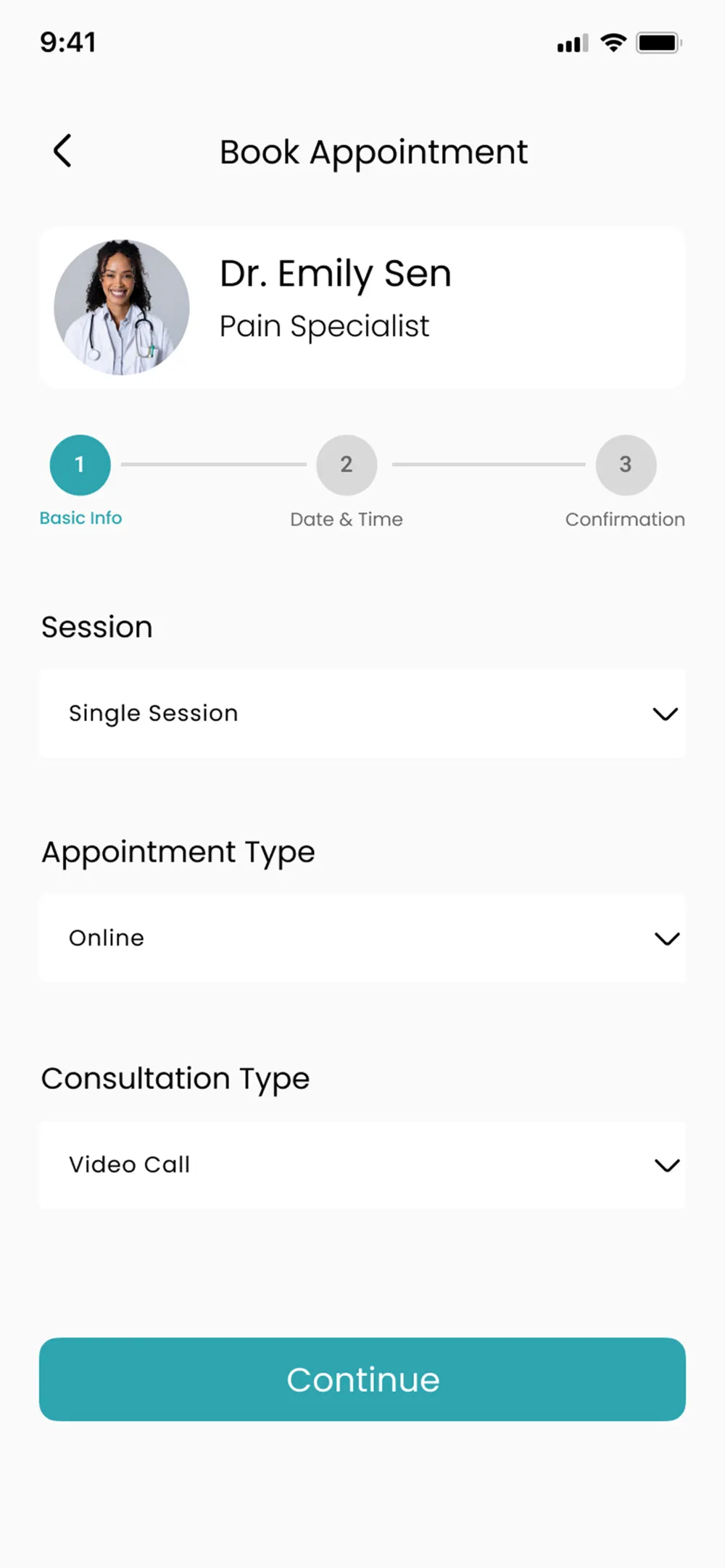
Step 1 — Basic info
booking-step1
Session type, appointment type, consultation type. One focused step.
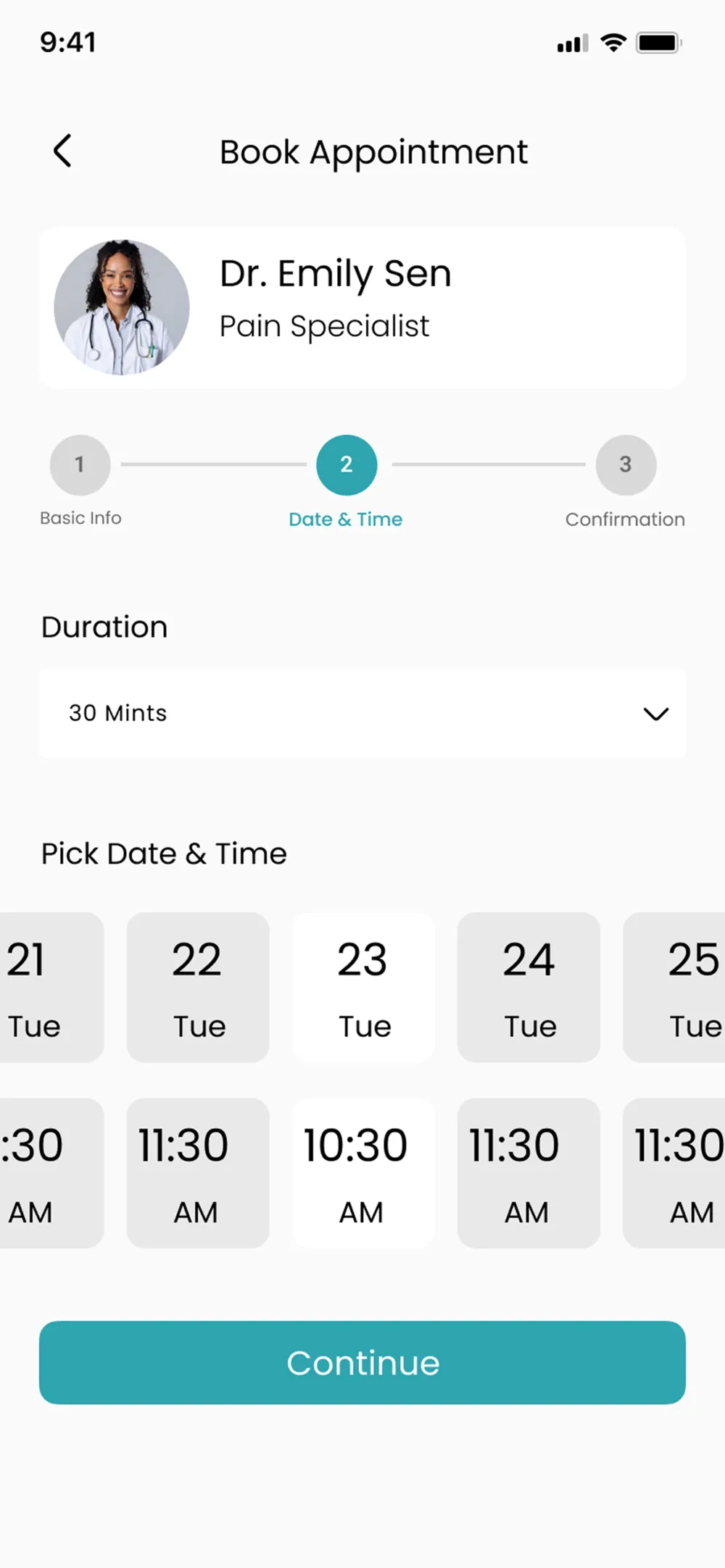
Step 2 — Date & time
booking-step2
Duration, date, and time on a dedicated screen. No distractions.
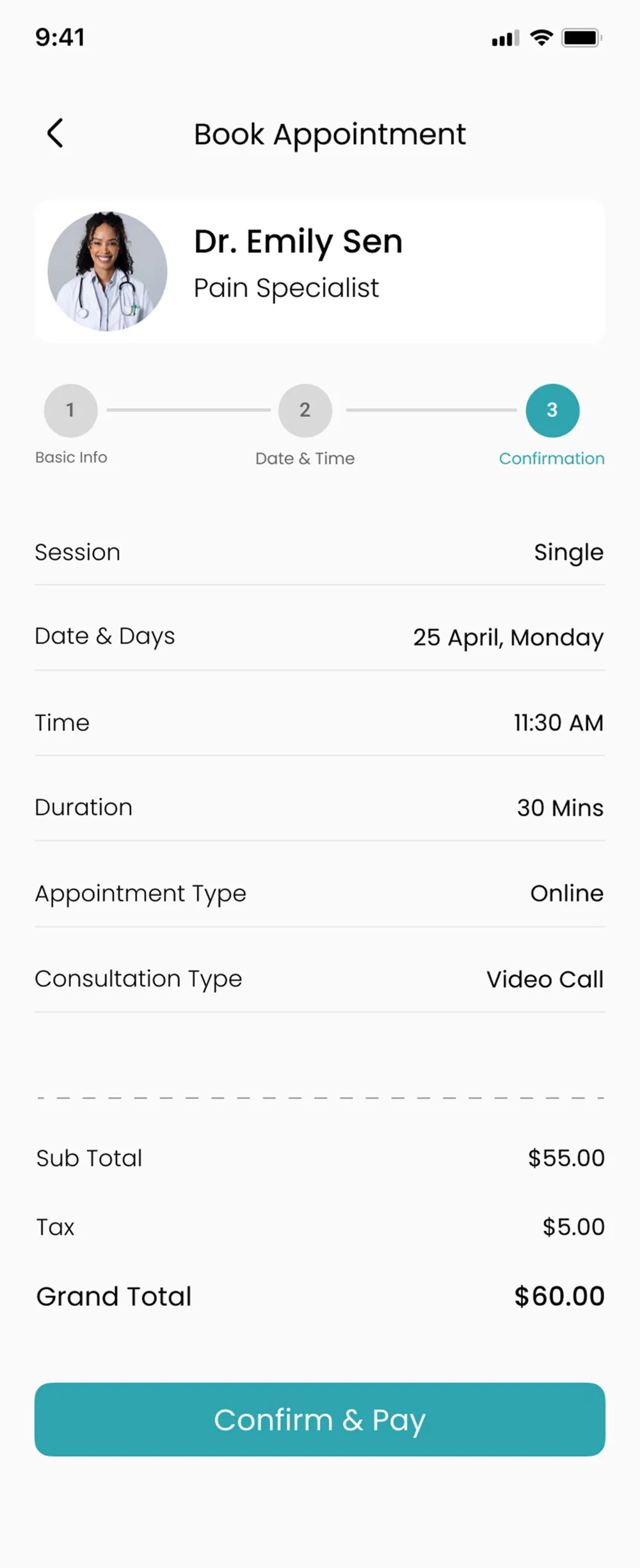
Step 3 — Confirm
booking-step3
Full summary with cost breakdown. The 'Confirm & Pay' CTA matches what's actually happening.
UX Insight

Progressive disclosure reduces cognitive load. Breaking a complex task into small, focused steps dramatically increases completion rates.

06

Payment & Confirmation

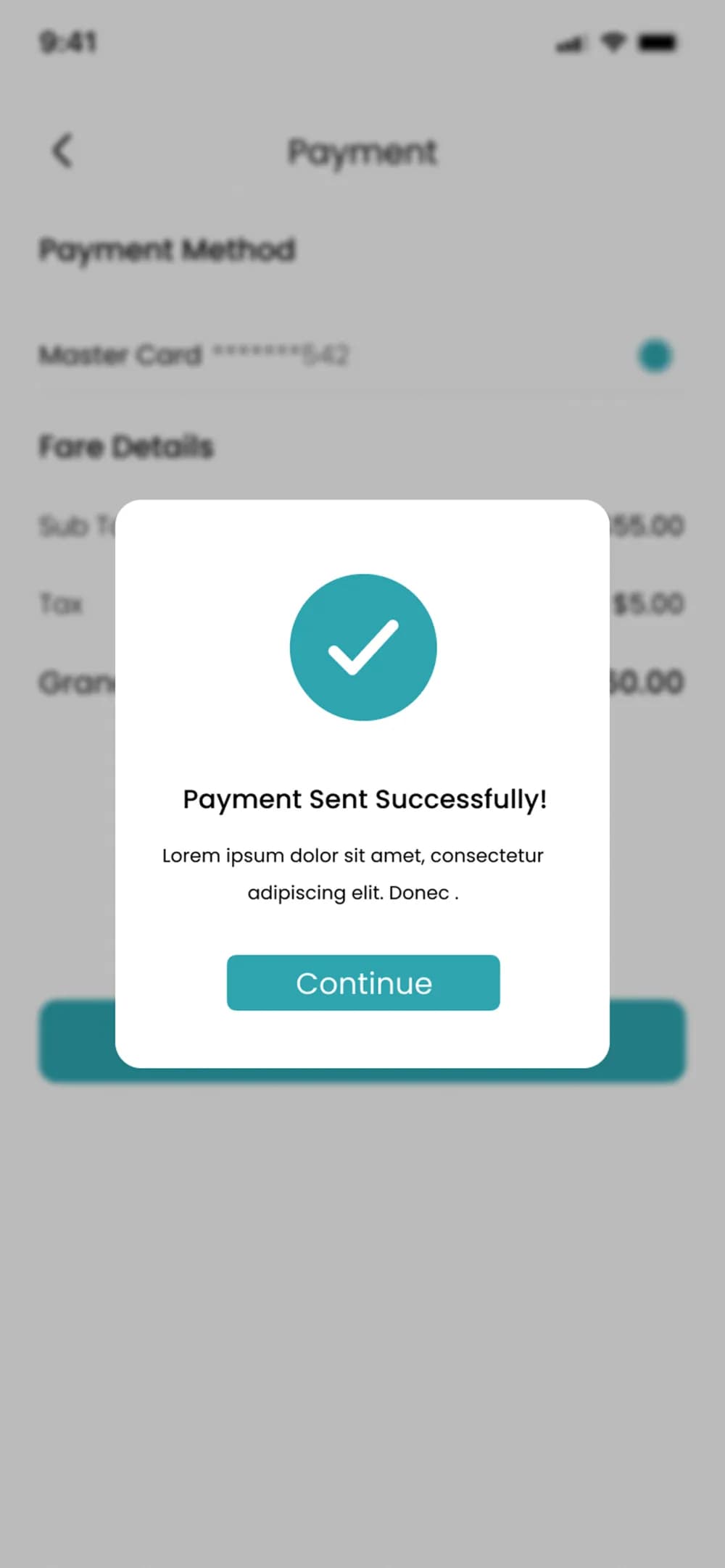
Payment moved from an inline toggle to its own screen. Booking completion is now celebrated, not ignored.
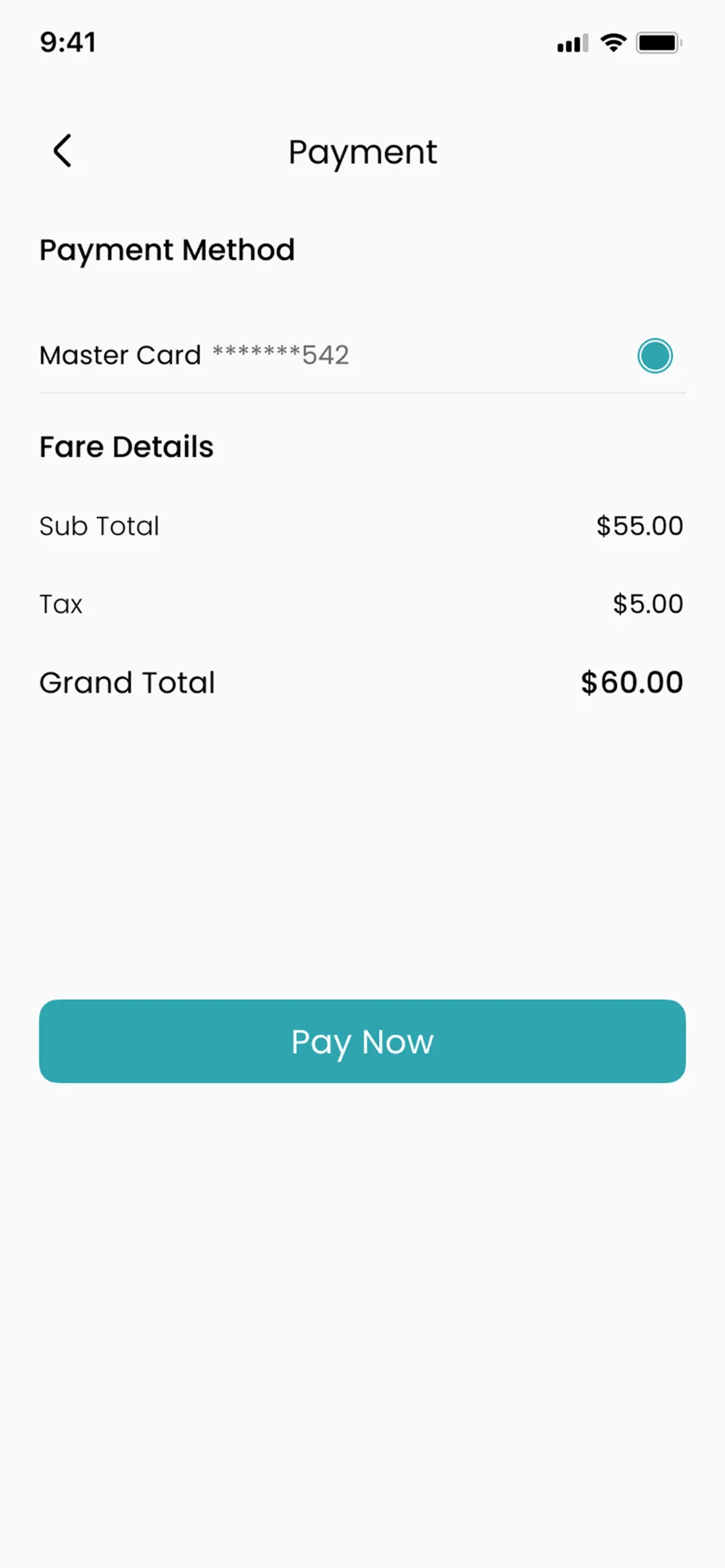
Payment Screen
payment-screen
Dedicated payment screen with card selection and full fare breakdown. Clean, focused, trustworthy.
Success State
payment-success
A 'Payment Sent Successfully!' modal with a checkmark. Users know exactly where they are: booking complete.
Summary

Before vs after

Screen
Home Screen
BeforeCancel button exposed on card, cluttered sections
AfterCancel removed, cleaner hierarchy, larger avatar
Appointment List
BeforePlain cancel button, no confirmation step
AfterRed Cancel button + confirmation modal
Category Listing
BeforeNo price, star icons only, no numeric rating
AfterFee + numeric rating + location on each card
Booking Flow
BeforeSingle long scrollable page, no progress indicator
After3-step wizard with visible progress bar
Payment
BeforeInline toggle buried in booking page
AfterDedicated payment screen
Post-Booking
BeforeNo feedback or success state
AfterSuccess modal with confirmation
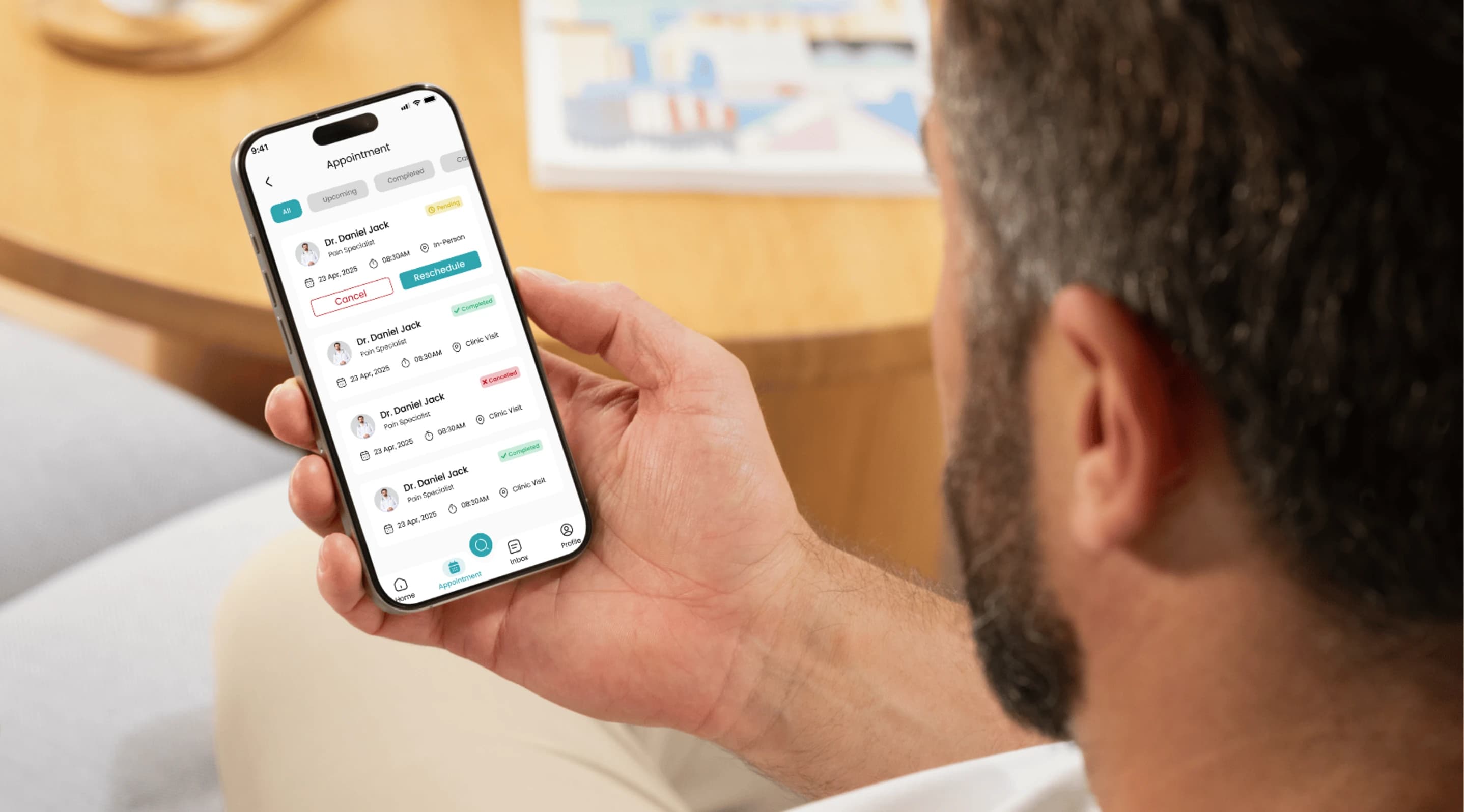
Take Therapy in use — a person holding the phone on the appointment screen in a real setting.
Available now · 1 slot open

Got a project in mind?

Or email me
Based in
Karachi, PakistanUTC+5